
How to Change Xbox Gamertag: Full Guide (2026)
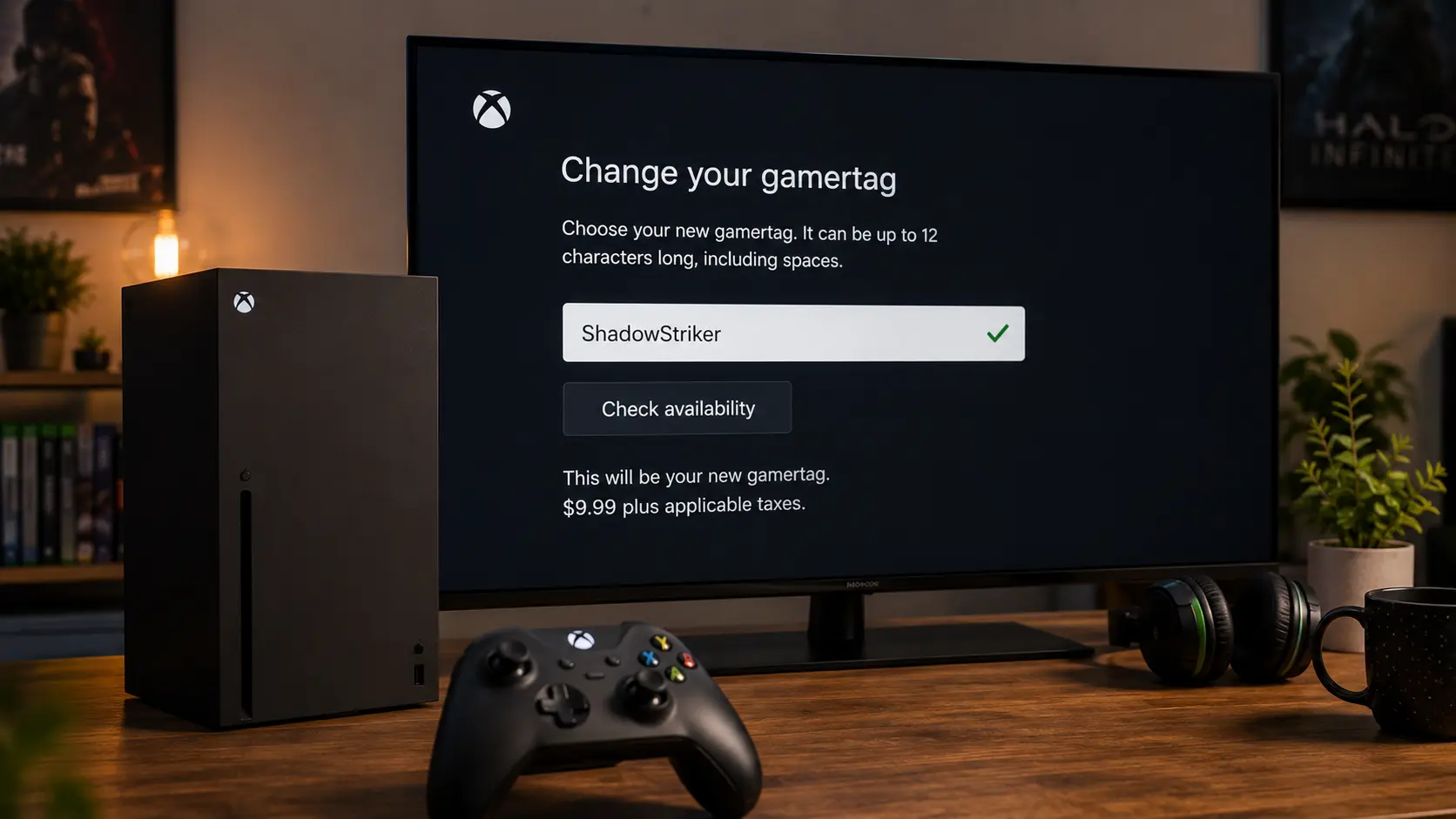
The free gamertag change is the most misunderstood feature in gaming. Every Xbox account gets one. Most people waste it on the auto-generated name they got at signup, then spend $9.99 six months later when they actually care about their handle.
Here's what most guides don't tell you: the free change doesn't expire. It doesn't reset. You get one, ever. If you haven't used it yet, sit on it until you actually know what you want. The rest of this guide covers exactly what each platform charges, how long changes take to show up, and what actually happens to your account when you rename.
The Free Change Nobody Talks About
Every Xbox account gets one free gamertag change. Not one per year. Not one per console. One, period. After that, Microsoft charges $9.99 USD (or the regional equivalent) per change, with no exceptions and no loyalty discount.
This isn't a hidden policy. It's just rarely mentioned upfront. Xbox's support documentation confirms it, and multiple trade publications have verified the same thing: first change free, every change after that costs money.
If your gamertag is still the auto-generated one from signup, use the free change now. If you already picked something you like, don't touch it. There's no deadline, and wasting the free change on a half-idea means paying for the real one later.
Xbox: The $9.99 Question
Xbox gamertag changes happen on console, in the app, or at social.xbox.com/changegamertag. The steps are the same everywhere.
On Console
- Press the Xbox button to open the guide.
- Go to Profile & System, then Settings.
- Select Personalization, then My Profile, then Customize Profile.
- Select your current gamertag.
- Type the new one, select Check Availability, then confirm.
On the App or Web
- Open the Xbox app or go to social.xbox.com/changegamertag.
- Sign in and go to your profile.
- Select Customize, then Change Gamertag.
- Enter the new name, check availability, and confirm.
Xbox shows the price before you commit, so there's no surprise charge. The tool checks availability live, so you'll know immediately if a name is taken.
What Changed in 2026
Xbox expanded unique gamertags to 15 characters in July 2026, up from the previous 12-character limit. The official Xbox Insider blog confirmed the update. There's one catch: gamertags that aren't unique (meaning they needed a suffix) or that use non-Latin characters still cap at 12 characters.
So if you're picking a name that's already unique, you have more room than before. If your name needs a suffix like #1234, the character limit stays where it was.
Propagation Delay
Xbox says it can take up to a week for your new gamertag to fully appear across every service and game. Some apps update instantly. Older games can cache the old name for days. Microsoft's support team recommends signing in on a different device or an incognito browser to check the real status. If it's been longer than a week, then it's worth contacting support.
PlayStation: The One With the Warning
PlayStation's Online ID change follows the same pattern as Xbox: first change free, every change after that costs around €9.99 or $9.99. PlayStation support confirms this directly.
The steps: go to Settings, then Users and Accounts, then Account, then Profile, then Online ID. Enter the new name, check availability, and confirm.
Two things make PlayStation different. First, you can display your old ID alongside the new one for 30 days. That's a transition feature so friends can still recognize you mid-change. Second, PlayStation warns that games published before April 2018 weren't built to handle ID changes. A small list of older games can lose save data or leaderboard progress. Sony publishes a compatibility list, and it's worth checking before you commit if you still play anything from that era.
The warning isn't boilerplate. If something goes wrong, reverting to your original ID is free. PlayStation treats it as something you've already paid for.
One more detail: child accounts can't change their online ID at all.
Steam: The Easy One (With a Catch)
Steam doesn't charge for profile name changes. It also doesn't limit how often you do it. You can change your persona name every day if you want. What you can't change is your SteamID or your account name. Those are permanent and even Steam support can't touch them.
The catch is history. Steam stores your last 10 profile names publicly. Anyone can scroll back and see every name you've used. If you're renaming to distance yourself from an old identity, that history sticks around.
Steam added a "Clear Previous Aliases" option to profile settings. If you want the old names gone, that's the way to do it.
Discord: The Rate-Limited One
Discord usernames are lowercase only, unique across the platform, and rate-limited to 2 changes per hour. Discord's support documentation confirms the limit. Your display name (what shows in servers) is separate and can be changed freely.
So if you want a different name showing in a specific server, you don't need to touch your username at all. Just update the display name. The username is the permanent @handle that identifies your account.
Minecraft: The 30-Day Cooldown
Minecraft has two editions, and they handle names differently.
Java Edition uses a profile name tied to your Microsoft account. You can change it from your Minecraft profile page for free, but only once every 30 days. Microsoft support confirms the cooldown. If you change your mind after switching, you have to wait the full 30 days to go back.
Bedrock Edition doesn't have a separate name. It uses your Xbox gamertag directly. Changing your gamertag changes your Bedrock name. There's no second name to manage.
Roblox: Two Names, Two Systems
Roblox splits your identity into two parts. The display name is what shows in games. It's free, can repeat across accounts, and you can change it once every 7 days. The @username is your unique account identifier. Changing it costs 1,000 Robux, and there's no discount for small changes. IGN confirmed that even capitalizing the first letter costs the full 1,000 Robux.
If you revert to a previous username, it still costs Robux. There's no free path back to a name you've already used.
The display name is the practical choice for most people. It's free, it changes every week, and it's what other players actually see.
Valorant & Fortnite: The Free Ones
Valorant's Riot ID (which covers League of Legends and other Riot titles too) can be changed for free once every 90 days. Riot doesn't offer a paid route to skip the cooldown. Your Riot ID splits into a Game Name and a Tagline after the # symbol. Both can be changed, but the combination has to be unique.
Fortnite uses your Epic Games display name. It's free to change, with a cooldown of once every two weeks. Epic's support documentation confirms the 2-week window.
What Actually Changes (Spoiler: Not Your Progress)
Across every platform, your friends list, achievements, trophies, purchases, and game progress are tied to your account ID, not your display name. Renaming doesn't reset any of it.
On PlayStation, the exception is older games that weren't built to handle ID changes. That's the one real risk. On Xbox and everywhere else, renaming is safe.
One thing worth knowing: your old name usually becomes available for someone else to claim. Sometimes immediately. Sometimes after a short holding period. If you cared about the old name, don't assume you can get it back indefinitely.
5 Mistakes That Cost Real Money
- Burning the free change on a temporary name. If your original gamertag was auto-generated garbage, fine, use it. But if you already have something workable and just have minor regrets, wait. That free change doesn't come back.
- Not testing the name out loud. A name that reads fine on screen can be awkward to say in voice chat. Say it to a friend before you commit anywhere that charges you to undo it.
- Picking a meme name. Names built around a game you're currently obsessed with, an inside joke from one Discord server, or a trend tend to feel dated fast. On Xbox or PlayStation, "dated fast" means paying $9.99 to fix it.
- Assuming propagation is instant. Xbox can take up to a week to update everywhere. PlayStation signs you out of all devices after a change. If you're renaming right before a tournament or a stream, give it time.
- Forgetting about Steam's public history. If you're renaming for privacy, Steam keeps your last 10 names visible unless you clear them manually.
Frequently Asked Questions
Wait, is the first Xbox gamertag change actually free?
Yes. Every Xbox account gets one free change. After that, every change costs $9.99 USD or the regional equivalent. It's not a limited-time offer. It's a one-time account benefit.
Can I get my old gamertag back if I change my mind?
On Xbox and PlayStation, switching back to a previous name you've already used is usually free. The platform treats it as something you've already claimed. There's no guarantee the name is still available if someone else grabbed it in the meantime.
My Xbox gamertag change is stuck on "pending" — what now?
That's usually propagation delay. Microsoft says it can take up to a week for the change to appear everywhere. Try signing in on a different device or an incognito browser to check the real status. If it's been longer than a week, contact Xbox support.
Does changing my gamertag reset my friends list or achievements?
No. Friends, achievements, trophies, purchases, and game progress are all tied to your account ID. Renaming doesn't touch any of it. The only exception is a small list of pre-2018 PlayStation games that can have issues with save data after an ID change.
What if the name I want is already taken?
Don't panic. The rename screen itself tells you instantly if a name is taken. When your first pick is gone, generate a batch of alternatives instead of guessing. Our gamertag generator filters by platform and style, so every option it produces already fits Xbox's character rules. Shortlist a few, test them in the rename field, and pick the one that sticks.
Final Rule
Use your first free change wisely. Don't burn it on a name you'll regret. Test it out loud, sleep on it, and make sure it fits the platforms you actually play on. Every change after the first one costs real money on Xbox and PlayStation. There's no reset button, and there's no trick around the fee that still works. Pick something that lasts.
Updated: September 2026